Everyone who relies on a proxy—whether for web automation, accessing sites, scraping tasks, or simply maintaining privacy—has experienced the moment when everything appears to be configured properly, yet the connection still “drags.” Pages load endlessly, video buffers, API calls take ages, or connections drop without warning. These issues go far beyond mild annoyance: for companies, they mean wasted resources; for developers, delayed workflows; for everyday users, stress and potential loss of access to important services.
The Importance of Proxy Speed Testing: Why Checking Proxies Matters
- Gradual performance decay. A proxy might function, but high latency or restricted bandwidth quietly degrade user experience and slow down automated workflows.
- Instability. A single proxy can be lightning-fast in the morning and overloaded by night. Without consistent testing, you won’t notice when it stops being reliable.
- Different use cases demand different performance traits. Streaming needs consistent high download speeds; gaming relies on minimal latency; scraping requires uninterrupted throughput and no timeouts.
- Security and policy limitations. Providers or target sites may intentionally or accidentally throttle traffic, creating symptoms identical to a “slow internet.”
Parameters Affecting Proxy Speed
Proxy type
Free public proxies may look tempting, but they’re often overcrowded and unstable: high ping, erratic bandwidth, many non-working IPs, and a high risk of data exposure. Paid private proxies offer controlled access, predictable performance, fewer outages, and customer support if something goes wrong.
IP Protocols
IPv4 is dependable and universally supported. IPv6 removes some layers like NAT and can occasionally reduce latency, but that doesn’t guarantee higher speeds—compatibility varies between providers and websites. Always test your target platforms before fully switching to IPv6.
Connection protocols
HTTP, HTTPS, and SOCKS5 handle data differently, impacting connection speed. HTTP is lightweight and can be quicker for unencrypted traffic. HTTPS adds TLS handshakes and encryption overhead, increasing initial connection time. SOCKS5 routes all traffic types (TCP/UDP) and is versatile, but doesn’t encrypt data by default. More encryption and additional handshake steps almost always introduce extra latency.
Server geolocation
Physical distance heavily affects response time. The nearer the proxy is to both you and your target destination, the lower the latency and the more stable your connection. Even a powerful server positioned on another continent will feel slower than a modest local one.
Infrastructure and load
Speed also depends on the provider’s internal setup: channel capacity, user count, throttling policies, and load-balancing. During peak usage, it’s common to see speed dips and sudden latency spikes.
Network metrics that matter
- Ping reflects basic latency;
- jitter shows how much this latency fluctuates;
- throughput measures real, usable bandwidth;
- connection setup time (TCP/TLS handshake) affects short and frequent requests;
- packet loss and DNS issues can significantly harm performance.
Different tasks prioritize different indicators: games and real-time actions require low ping; scraping and downloads rely on consistent throughput.
Methods for Testing Proxy Speed
Online services
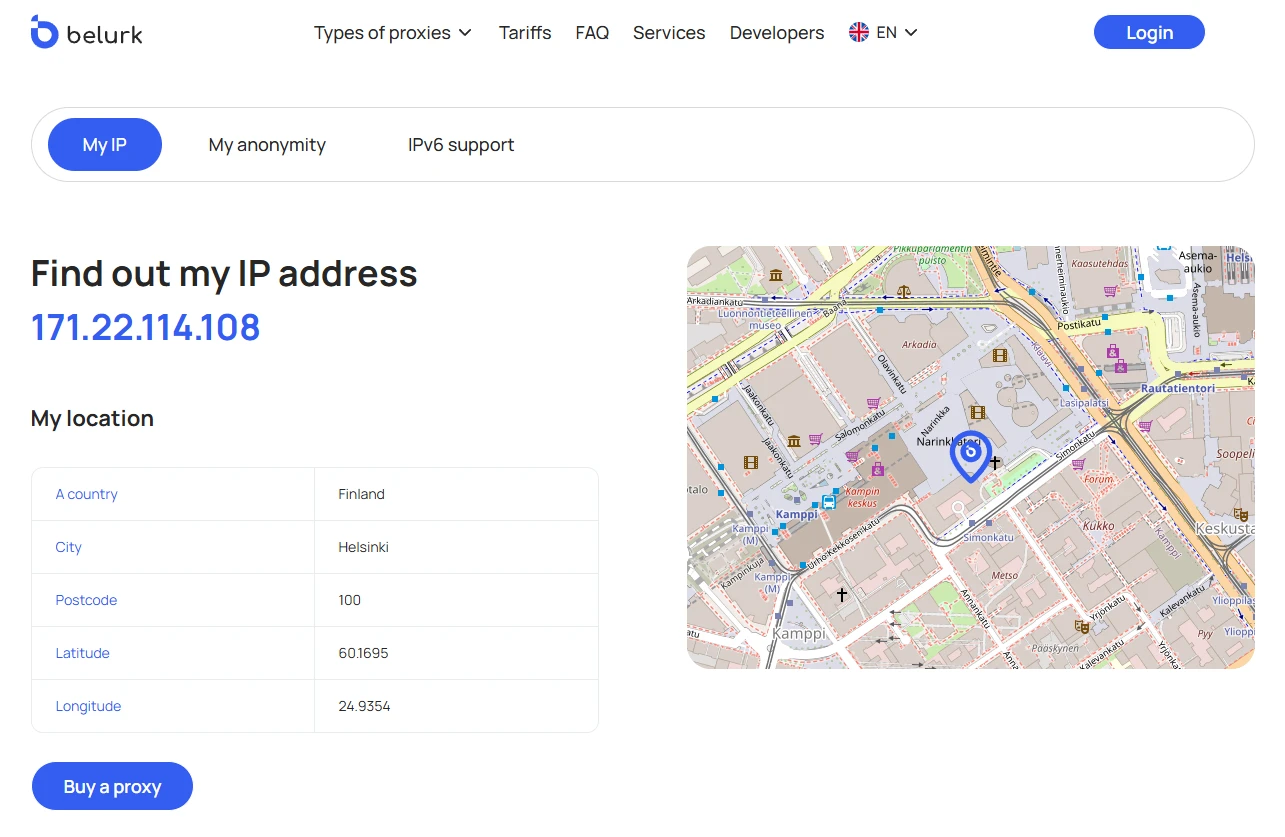
Tools like MyIP by Belurk instantly identify the IP, region, and basic protocol information associated with your traffic. Some also estimate latency or return speed. Online checkers are excellent for quick validation and checking anonymity or geolocation.
Specialized programs and services for bulk checking
These utilities and SaaS platforms evaluate large proxy lists at once: they test availability, protocol type, connection time, download speed, error frequency, and geolocation. They can sort results, save them, and filter proxies based on selected parameters. They’re ideal for managing or monitoring big proxy pools used in scraping, bots, or large-scale automation.
Testing in the browser
Load a site through the proxy and inspect the Network/Timings tab in DevTools: DNS lookup time, connect time, TTFB (time to first byte), full page load duration, and resource sizes. This is the most realistic method to understand actual “user-experience” performance and confirm how well a proxy works with specific site components (scripts, images, API endpoints).
Analyzing the Results
Perform tests multiple times throughout the day—proxies that are fast in the morning may slow down significantly during peak hours. Compare your results with and without a proxy to evaluate the true performance drop. The median value of multiple tests is more reliable than any single measurement.
If latency is low but download speed is poor, the proxy may be bandwidth-limited.
If latency is high and packet loss occurs, the route is long or poorly optimized.
If you encounter multiple errors or frequent CAPTCHAs, the target site may be restricting your proxy.
What to do based on the results
- High ping — switch to proxies closer to your location.
- Low throughput with normal latency — verify provider bandwidth limits or try different proxies.
- Frequent errors or CAPTCHAs — change the proxy type or IP; reduce request intensity.
- Slow TLS handshakes — the server may be underpowered or heavily loaded.
How to Choose the Best Proxies
Define your goal. Do you need proxies for intensive scraping, social account management, low-latency gaming, streaming, region-specific content, or private browsing? Your goal dictates which parameters matter most: throughput, latency, rotation, or anonymity.
Check type and access level. For consistent performance, private paid proxies are the safest choice—they face less congestion and deliver steady speeds. If you need mass automation or scraping, verify whether the provider supports IP rotation.
Protocols and IP versions. Ensure the proxies support the required protocols (HTTP/HTTPS, SOCKS5) and IP versions (IPv4 or IPv6). IPv6 may offer certain benefits, but not all platforms accept it—test your target services beforehand.
Geolocation and routing. Choose servers in regions aligned with your needs. The closer they are to you and your target destination, the better the latency. For region-restricted content, consider the country specifically.
Speed and stability. Request performance indicators: ping, TTFB, throughput, and error percentage. Test several times throughout the day for accuracy.
Anonymity and logging. If privacy matters, evaluate anonymity level and the provider’s logging rules—whether they store request data or connection history. This impacts both privacy and access to certain websites.
Management and support. A good control panel, APIs for rotation or bulk validation, flexible authentication, and responsive support are essential. Reporting and monitoring tools also make life easier.
Pricing and scalability. Compare pricing in terms of stability, concurrency limits, and the ability to expand your proxy pool as your workload grows.
Belurk offers dependable private proxies suited for a wide range of tasks: from scraping and social automation to streaming and testing geo-restricted content. Belurk’s primary strength lies in its practical, user-centric design—providing stable speeds, easy setup, and tools for performance monitoring. This makes the service equally suitable for newcomers and seasoned professionals who need both reliability and speed.