You've heard colleagues mention they "automated that with Python" or seen job postings requiring "Python automation skills." But what exactly does automation in Python mean, and why has it become one of the most sought-after skills in the modern workplace?
This guide breaks down everything you need to know about Python automation — from basic definitions to practical applications, from simple scripts to career-changing capabilities. Whether you're exploring automation using Python for the first time or evaluating Python automation courses, you'll find clear answers here.
What Is Python Automation?
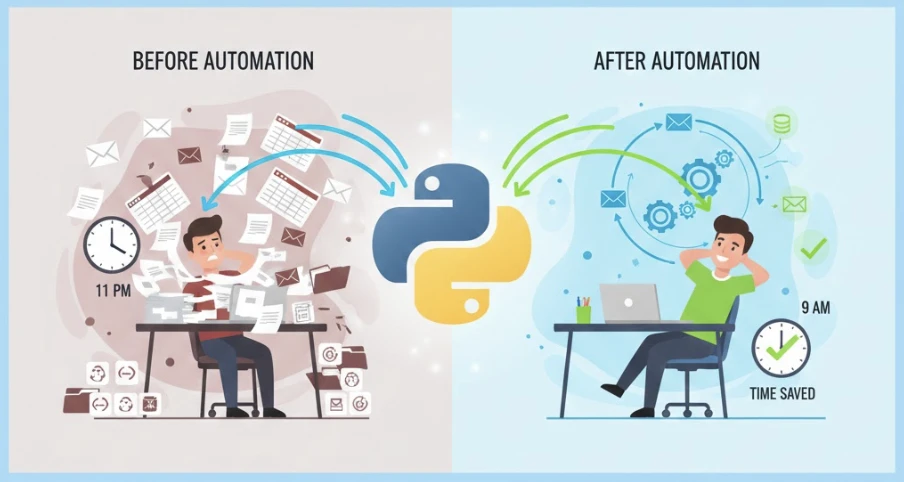
Python automation is the practice of using the Python programming language to perform tasks automatically that would otherwise require manual human effort. Instead of clicking through spreadsheets, copying files, or sending emails one by one, you write a script once and let the computer handle repetitive work indefinitely.
At its core, automation python refers to any process where:
- A task follows predictable, repeatable steps
- Those steps are translated into Python code
- The code executes those steps faster and more reliably than manual work
The beauty of Python for automation lies in its readability. Unlike other programming languages filled with cryptic symbols, Python reads almost like plain English instructions, making it accessible even to people without traditional programming backgrounds.
What Is Automation in Python Used For?
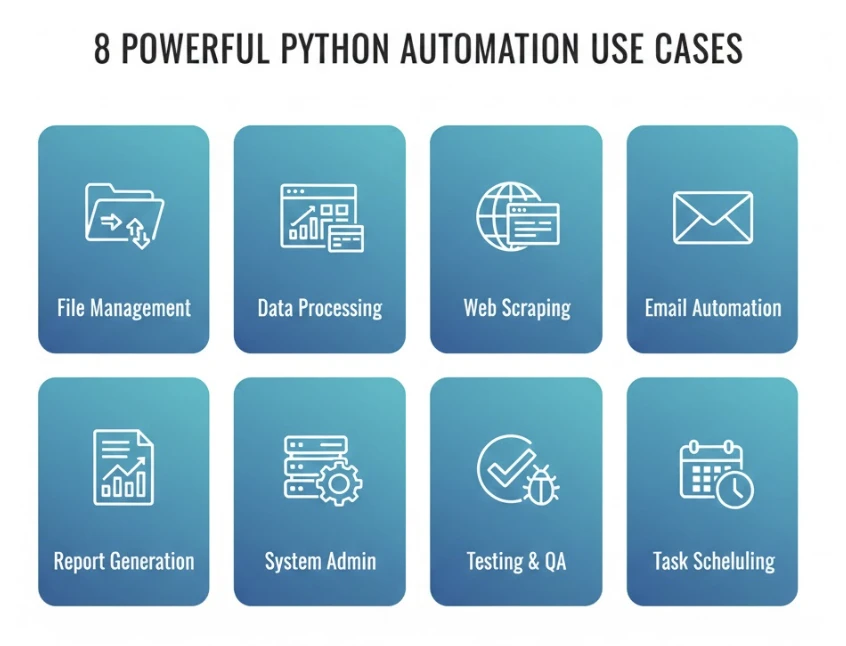
Understanding what is automation in python becomes clearer through concrete examples. Here are the most common applications:
File and Folder Management
Automation in python excels at organizing digital chaos. Scripts can sort downloads by file type, rename hundreds of files following specific patterns, back up important documents automatically, and clean up duplicate files — all without human intervention.
Data Processing and Analysis
Raw data rarely arrives ready for use. Python in automation handles cleaning messy datasets, converting between formats, merging information from multiple sources, performing calculations across thousands of rows, and generating summary reports.
Web Scraping and Data Collection
When information lives on websites without downloadable formats, Python automation extracts it. Price monitoring, job listing aggregation, research data collection, and competitive analysis all benefit from automated web scraping.
Email and Communication Automation
Sending personalized emails to hundreds of recipients, scheduling routine notifications, filtering incoming messages, and generating automated responses — Python handles communication tasks that would consume hours manually.
Report Generation
Weekly reports, monthly summaries, quarterly analyses — Python scripts can pull data from various sources, apply formatting, generate visualizations, and deliver finished reports without anyone touching a spreadsheet.
System Administration
IT professionals use automation using python for server monitoring, log analysis, user account management, software deployment, and countless maintenance tasks that keep systems running smoothly.
Testing and Quality Assurance
Software teams rely on Python for automation testing — running thousands of test cases automatically to catch bugs before they reach users.
Why Use Python for Automation?
Among all programming languages, Python for automation has become the dominant choice. Several factors explain this preference:
Readable Syntax
Python code resembles natural language more than traditional programming. A file-moving script reads almost like instructions you'd write for a colleague. This accessibility allows non-programmers to understand, modify, and create automation scripts.
Extensive Library Ecosystem
Python's strength lies in its libraries — pre-built tools for specific tasks. Need to work with spreadsheets? There's pandas. Web scraping? BeautifulSoup and Selenium. Sending emails? smtplib. These libraries handle complex operations with simple commands.
Cross-Platform Compatibility
Scripts written on Windows run on Mac and Linux without modification. This flexibility means automation solutions work across different environments without rewriting code.
Active Community Support
Millions of Python developers share solutions, answer questions, and contribute improvements. Whatever challenge you face, someone has likely solved it before and documented the solution.
Zero Licensing Costs
Python is completely free. Unlike enterprise automation tools requiring expensive subscriptions, Python automation scales infinitely without additional cost.
Career Relevance
Python consistently ranks among the most requested skills in job postings. Learning python in automation opens doors across industries — from marketing to finance to software development.
How Python Automation Actually Works
Understanding the mechanics helps demystify what is python automation at a practical level.
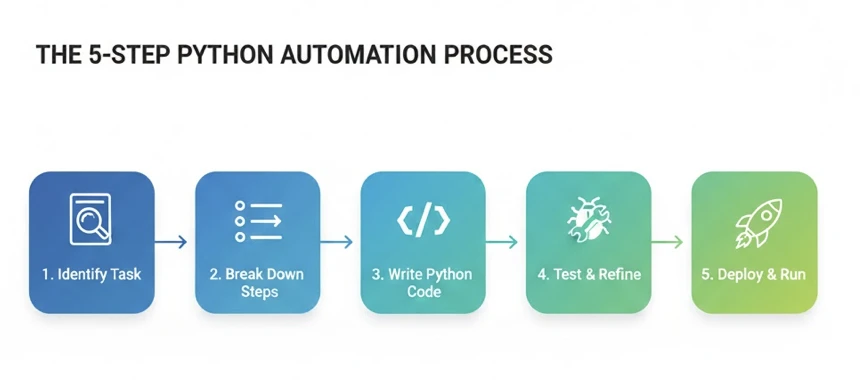
Step 1: Identify the Task
Automation begins with recognizing repetitive patterns. Any task you perform the same way multiple times is a candidate for automation.
Step 2: Break Down the Steps
Manual tasks decompose into discrete operations: open this folder, check each file, if it matches criteria X then do Y, otherwise do Z, repeat until finished.
Step 3: Translate to Python
Each step becomes code. Python's libraries provide building blocks; your job is assembling them to match your workflow.
Step 4: Test and Refine
Scripts rarely work perfectly on the first attempt. Testing reveals edge cases and errors that need handling.
Step 5: Deploy and Maintain
Working scripts can run on demand, on schedule, or in response to triggers. Occasional updates keep them functioning as requirements evolve.
Here's a simple example showing automation python in action — a script that organizes files:
import os
import shutil
from pathlib import Path

# Define where to look and where files should go
downloads = Path.home() / "Downloads"
destinations = {
    ".pdf": "Documents/PDFs",
    ".jpg": "Pictures/Photos",
    ".png": "Pictures/Screenshots",
    ".xlsx": "Documents/Spreadsheets",
    ".docx": "Documents/Word"
}

# Process each file
for file in downloads.iterdir():
    if file.is_file() and file.suffix in destinations:
        target = Path.home() / destinations[file.suffix]
        target.mkdir(parents=True, exist_ok=True)
        shutil.move(str(file), str(target / file.name))
        print(f"Moved: {file.name}")
This script — about 15 lines — handles a task that might take 10-15 minutes manually. That's the power of automation in python: small investments in code yield large returns in saved time.
Essential Python Libraries for Automation
Python for automation relies on specialized libraries. Here are the most important ones:
| Library | Purpose | Example Use |
|---|---|---|
| os / pathlib | File system operations | Navigate folders, check file properties |
| shutil | File management | Copy, move, delete files and folders |
| pandas | Data manipulation | Process spreadsheets, clean datasets |
| requests | HTTP operations | Download files, interact with APIs |
| BeautifulSoup | HTML parsing | Extract data from web pages |
| Selenium | Browser automation | Interact with web applications |
| smtplib | Email sending | Send automated emails |
| schedule | Task scheduling | Run scripts at specific times |
| PyAutoGUI | GUI automation | Control mouse and keyboard |
| openpyxl | Excel operations | Read and write Excel files |
You don't need to learn all libraries immediately. Start with os, shutil, and pathlib for file operations, then expand based on your specific automation needs.
Who Should Learn Python Automation?
Automation using python benefits professionals across virtually every industry:
Marketing Professionals: Automate report generation, social media data collection, campaign performance tracking, and email sequences.
Data Analysts: Streamline data cleaning, automate recurring analyses, generate scheduled reports, and process large datasets efficiently.
Administrative Staff: Organize files automatically, manage email workflows, schedule routine communications, and maintain organized digital systems.
Financial Professionals: Automate data entry, generate financial reports, monitor transactions, and reconcile records across systems.
HR Coordinators: Process applications, schedule interviews, send automated updates, and manage employee data.
Sales Teams: Enrich lead data, automate CRM updates, send personalized follow-ups, and track prospect engagement.
Researchers: Collect data from multiple sources, process survey responses, and generate analytical summaries.
IT Professionals: Monitor systems, manage deployments, analyze logs, and maintain infrastructure.
The common thread: anyone spending significant time on repetitive computer-based tasks can benefit from python in automation.
How Long Does It Take to Learn Python Automation?
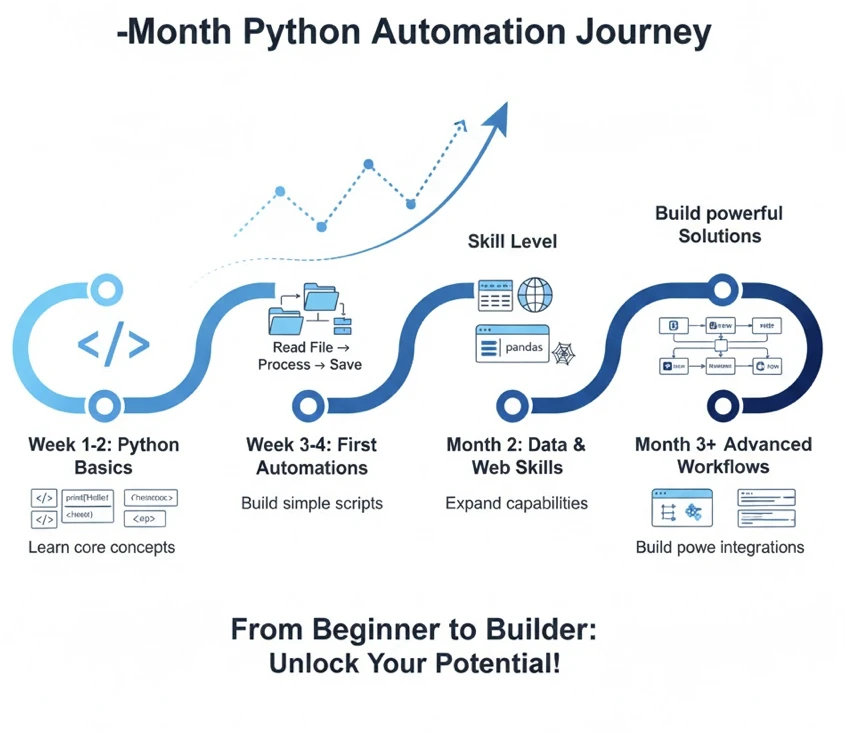
Realistic timelines help set appropriate expectations:
Week 1-2: Basic Python syntax — variables, loops, conditionals, functions. Understanding how Python reads and executes code.
Week 3-4: File operations and simple automation. Building your first useful scripts that solve real problems.
Month 2: Data manipulation with pandas, web interactions with requests. Expanding capability to handle more complex tasks.
Month 3+: Advanced automation — web scraping, browser automation, scheduled tasks, combining multiple operations into sophisticated workflows.
These estimates assume 5-10 hours of weekly practice. More time accelerates progress; less time extends the timeline but doesn't prevent success.
The key insight: you don't need to master everything before automation becomes useful. Basic file organization scripts work after just a week or two of learning.
Choosing Python Automation Courses
Not all python automation courses serve learners equally well. When evaluating options, consider these factors:
Practical vs Theoretical Focus
Effective courses start with real automation tasks rather than abstract programming concepts. Look for project-based learning where you build functional scripts from early lessons.
Assumption Level
Courses designed for non-programmers explain every term — variables, functions, loops — without assuming prior knowledge. Technical courses that skip fundamentals frustrate beginners.
Updated Content
Python and its libraries evolve. Courses updated for 2026 teach current best practices and modern library versions. Outdated content creates unnecessary obstacles.
Support Resources
Learning programming involves getting stuck. Quality courses provide ways to get help — whether community forums, instructor access, or detailed documentation.
Completion Projects
The best courses culminate in portfolio-worthy projects demonstrating real automation capabilities — not just exercises, but functional tools you can actually use.
For those seeking structured learning designed specifically for working professionals, the comprehensive Python automation guide covers fundamentals through advanced topics with clear explanations that assume no prior programming experience.
Common Questions About Python Automation
Do I need a computer science degree?
No. Python automation focuses on practical scripting rather than theoretical computer science. Many successful automation users have backgrounds in business, marketing, finance, and other non-technical fields.
Can Python automation replace my entire job?
Unlikely. Automation handles repetitive tasks, freeing you for work requiring creativity, judgment, and human interaction. It augments your capabilities rather than replacing them.
Is Python automation difficult to learn?
Compared to other programming skills, Python for automation ranks among the most accessible. The syntax is readable, resources are abundant, and practical results come quickly.
What computer do I need?
Any modern computer running Windows, Mac, or Linux works fine. Python automation doesn't require special hardware or powerful machines.
How is Python automation different from no-code tools?
No-code tools offer faster setup for simple app integrations but have limited flexibility. Python automation requires more learning but handles complex logic, local files, and unlimited customization that no-code platforms cannot match.
Getting Started Today
The path from curiosity to capability involves three initial steps:
1. Install Python
Download Python from the official website (python.org). Installation takes minutes and costs nothing.
2. Identify Your First Target
Choose one repetitive task you perform regularly. File organization works well for beginners — it's visual, low-risk, and immediately useful.
3. Follow a Structured Path
Whether through python automation courses, tutorials, or guides, consistent structured learning accelerates progress compared to random YouTube videos.
For a complete roadmap covering everything from installation through advanced automation workflows, explore this step-by-step Python automation resource designed for beginners without technical backgrounds.
The Bottom Line
What is python automation? It's the skill that transforms hours of manual work into minutes of automated execution. It's the difference between spending your Monday copying data and spending it on work that actually requires your expertise.
Automation python isn't reserved for professional developers. It's increasingly a standard skill for knowledge workers who recognize that repetitive tasks don't deserve human attention when computers can handle them faster and more reliably.
The only question is whether you'll invest a few weeks learning now or continue losing hours to manual work indefinitely. The tools are free, the resources are available, and the benefits compound with every script you build.